7 Ways to Extend Legacy Industrial Equipment Lifespan

Your machine hasn't run in three days. The OEM quotes 20 weeks for a replacement servo drive. Your production line sits idle while you scramble through supplier networks, hoping someone has the part in stock. This is the reality for maintenance teams managing legacy industrial equipment, and it's exactly why extending equipment lifespan matters more than ever.
The 7 ways to extend legacy industrial equipment lifespan aren't about wishful thinking. They're about strategic interventions that keep aging machines running, reduce unplanned downtime, and delay the capital expense of replacement. At Automa.Net, we work with maintenance teams and procurement leads across Europe who face this challenge daily: sourcing obsolete parts, managing repair costs, and deciding when to fix versus replace.
Below, we'll walk you through seven concrete strategies that extend equipment life, reduce sourcing friction, and keep your production moving.
1. Implement Predictive Maintenance with Sensor Data
Predictive maintenance uses real-time sensor data, vibration, temperature, acoustic emissions, to detect degradation before failure occurs. Instead of reacting to breakdowns, you're acting on early warning signals.
Predictive maintenance reduces unplanned downtime by 30-50% and cuts maintenance costs by 18-25% compared to reactive or calendar-based schedules, according to KGT Solutions' Industrial Automation Guide 2026. For legacy equipment, this translates to fewer emergency part requests and more time to source alternatives if a component does fail.
You don't need to replace the entire control system. Install wireless vibration sensors on gearboxes, temperature probes on motor bearings, and acoustic monitors on hydraulic lines. These feed data to a simple edge device or cloud platform that flags anomalies. A bearing running 8°C hotter than baseline, or vibration amplitude creeping upward, signals early degradation.
Many German manufacturers struggle with insufficient historical data, making AI-driven predictions difficult to bootstrap. Start with baseline measurements over 2-4 weeks, then monitor for deviation. Even without machine learning, trending raw sensor values catches problems weeks before failure.
Pro Tip For legacy PLCs without Ethernet, use a wireless sensor gateway that logs to local storage, then sync data via USB or SD card to your analysis system. No network rewiring required.
2. Establish a Preventive Maintenance Schedule
Preventive maintenance, scheduled servicing based on time or run hours, remains the backbone of equipment longevity, especially for aging machines where you can't afford surprises.
A preventive schedule for legacy equipment looks like this:
| Interval | Task | Equipment Type | Impact |
| Every 250 hours | Oil sample, filter change | Hydraulic systems | Catches contamination early |
| Every 500 hours | Bearing inspection, lubrication | Motors, gearboxes | Prevents wear-out failures |
| Every 1,000 hours | Seal inspection, gasket check | Pumps, cylinders | Stops leaks before damage |
| Quarterly | Electrical contact cleaning, torque verification | Contactors, terminals | Reduces arcing and burnout |
| Annually | Calibration check, sensor drift test | Instrumentation | Maintains measurement accuracy |
Document everything. Maintenance logs create a repair history that informs sourcing decisions. If a gearbox fails every 18 months, you stock a spare. If a servo drive's capacitors degrade predictably, you schedule replacement before failure.
Many facilities report that 87% use preventive maintenance, yet 59% spend less than half their maintenance time actually doing it. The gap between intent and execution is where downtime lives.
Watch Out Skipping preventive tasks to save labor hours usually costs more in emergency repairs and lost production. Budget for it as a non-negotiable line item.
3. How to Identify Industrial Spare Parts from Nameplates
When a component fails on a 15-year-old machine, the nameplate is your single source of truth for ordering a replacement. Misreading it means ordering the wrong part, or worse, no part at all because the number doesn't exist.
A nameplate contains manufacturer, model number, serial number, voltage, frequency, phase, and often revision codes. For PLCs, it's the part number and firmware version. For servo drives, it's the model suffix that determines compatibility. For motors, it's the frame size and duty rating.
Here's how to read one correctly:
- Photograph the entire nameplate straight-on with good lighting. Shadows and angles distort text. Use your phone's macro mode or a 1:1 zoom if available.
- Note the manufacturer first. Siemens, Allen-Bradley, ABB, Schneider, Fanuc, Beckhoff, each has different part-numbering logic. A Siemens S7-300 CPU is not interchangeable with an Allen-Bradley CompactLogix.
- Record the full model number, including suffixes. A Siemens SINAMICS G120 with suffix "A" is not the same as suffix "B." The suffix often indicates firmware version, cooling method, or regional variant.
- Capture voltage, frequency, and phase exactly as printed. 230V single-phase looks like 3-phase 400V on a quick glance, but they're incompatible.
- Look for date codes or revision marks. Older machines often have multiple revisions. Knowing which revision you have prevents sourcing a newer, incompatible version.
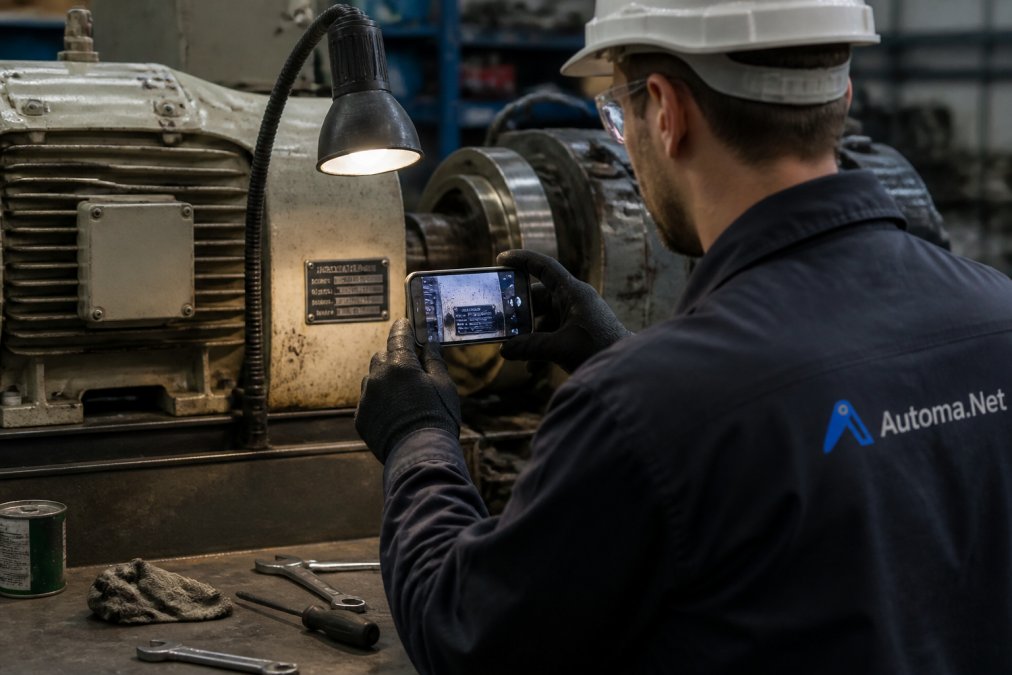
If the nameplate is worn or missing, look for alternative identification points: silkscreen markings on PCBs, connector pinouts, or firmware version strings displayed on the HMI.
Automa.Net's AutomaSnap tool lets you upload a nameplate photo, and the platform extracts key identifiers automatically, model, manufacturer, voltage, frequency, then searches the verified network of 5,000+ distributors for exact matches or verified alternatives. This cuts sourcing time from hours of manual searching to minutes.
Key Takeaway A legible nameplate photo is your fastest path to finding the right part. Invest 30 seconds in a good image; it saves days of back-and-forth with suppliers.
4. Refurbished vs Surplus Industrial Parts: Which Extends Equipment Life
When an OEM part is discontinued or lead times exceed your tolerance, you face a choice: refurbished, surplus, or used stock. Each carries different risk profiles and cost implications.
Refurbished parts are tested, repaired, and often warranted to original specifications. A refurbished Siemens S7-1200 CPU has been cleaned, electrically tested, and may include fresh firmware. Lead time is 1-3 weeks. Downside: you're trusting the refurbisher's test procedures, which vary widely. A reputable refurbisher (certified by the OEM or ISO 9001) is more reliable than a fly-by-night operation.
Surplus stock is new, unused inventory from another facility, channel partner, or cancelled project. No wear, no repair history needed. Lead time is immediate to 1 week if in-stock. Downside: no warranty beyond the original manufacturer's (often expired), and no guarantee the part was stored correctly.
Used stock is pulled from decommissioned equipment. Highest risk: you don't know the duty cycle, failure history, or remaining lifespan.
Here's the decision framework:
| Scenario | Best Choice | Why |
| Critical machine, downtime costs | Refurbished from certified vendor | Warranty and test data can justify cost |
| Non-critical auxiliary equipment | Surplus stock | Lower downtime impact, potential cost savings |
| Emergency replacement, 4-hour deadline | Used stock from trusted broker | Speed matters more than warranty |
| Long-term spares for fleet of machines | Mix of refurbished + surplus | Refurbished for high-duty components, surplus for redundancy |
| Component near end-of-life anyway | Used or surplus | Accept risk since replacement is imminent |
For mission-critical systems, refurbished components often restore performance closer to original spec than used parts can.
Automa.Net connects you to verified distributors and brokers holding both refurbished and surplus stock. The Request Board lets you broadcast an RFQ to the entire network, "Seeking Siemens S7-300 CPU 314, urgent", and get competing offers within hours, comparing price, lead time, and warranty across multiple sources simultaneously.
5. Retrofit with IoT and Condition Monitoring Technology
Retrofitting legacy equipment with sensors and edge devices bridges the gap between analog machines and Industry 4.0. You don't replace the machine; you add a nervous system.
Find it on Automa.Net →
A typical retrofit adds wireless vibration sensors, temperature probes, and a gateway device that logs data locally and syncs to cloud storage or an on-premise server. The payoff: real-time visibility into machine health. You see bearing temperature trending upward three weeks before failure. Vibration amplitude creeping up signals misalignment or wear. Acoustic emissions spike when a gearbox tooth begins to crack. This gives you time to source a replacement part, schedule maintenance, or plan a controlled shutdown instead of an emergency.
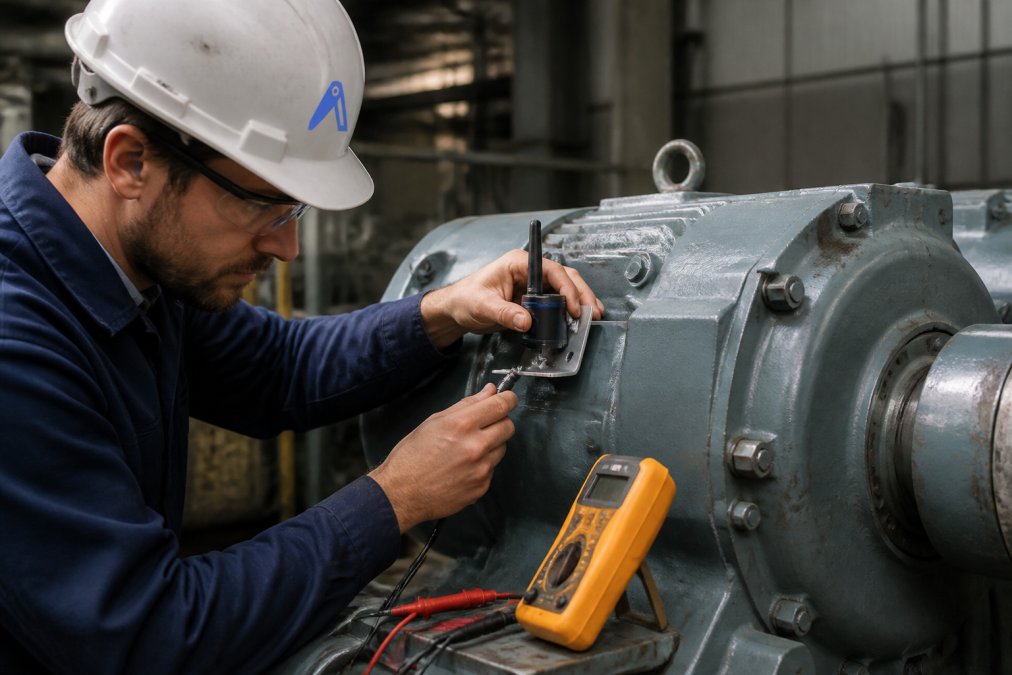
The challenge: legacy machines often lack Ethernet or have proprietary fieldbus protocols (Profibus, DeviceNet) that don't natively speak to modern cloud platforms. Solutions exist, wireless gateways that bridge the gap, edge devices that translate protocols, local data logging with manual sync, but integration requires planning.
A contrarian note: retrofitting a machine that's already 15+ years old and running at reduced efficiency may not be the best use of capital. If the machine is a candidate for replacement within 3-5 years anyway, retrofit spending may just delay the inevitable decision. However, if the machine is core to your process and replacement is not feasible, retrofitting with condition monitoring often extends useful life by 3-5 years.
Pro Tip Start with one sensor on one critical machine. Prove the ROI, fewer emergency repairs, better maintenance planning, before rolling out across your fleet.
6. Cost-Benefit Analysis: Repair vs Replace Your Legacy Equipment
This is the decision that keeps maintenance managers awake. A machine breaks. Do you repair it or replace it?
Repair costs include:
- Emergency labor (often higher than standard rates)
- Expedited parts sourcing (premium pricing for rush delivery)
- Production downtime (lost revenue, customer penalties)
- Opportunity cost of maintenance team's time diverted from preventive work
Replacement costs include:
- Capital expense
- Installation and commissioning (2-8 weeks)
- Operator training (1-2 weeks)
- Decommissioning and disposal of old equipment
- Integration with existing production line (often underestimated)
A specialized machine that's paid off and has low production volume may be cheaper to repair indefinitely than to replace with a new system that costs significantly more.
Here's a framework:
- Calculate three-year repair cost. Sum all maintenance, parts, and downtime over the next 36 months. Be realistic about failure rates; old machines fail more often.
- Calculate replacement cost. New machine price + installation + training + disposal + lost production during changeover.
- Compare. If repair is less than 40% of replacement cost, repair. If repair exceeds 60% of replacement, replace. In the 40-60% zone, weigh strategic factors: is this machine critical to your product mix? Can you tolerate downtime? Is the new machine a capability upgrade?
- Consider residual value. Some legacy machines have resale or refurbishment value. Surplus Solutions platforms let you monetize decommissioned equipment, offsetting replacement cost.
Watch Out Don't anchor on the machine's original purchase price. Use current replacement cost and realistic repair projections.
7. Secure Your Supply Chain for Obsolete Components
Sourcing obsolete parts is a permanent condition for operations managing long-life equipment. Hundreds of thousands of components reach end-of-life annually, with many discontinued without adequate notice. This makes supply chain resilience non-negotiable.
Build redundancy:
- Identify critical components (single points of failure). Stock a spare if the OEM lead time exceeds your acceptable downtime window.
- For components with known lifecycle issues, buy two refurbished units and keep one in reserve.
- Maintain a bill of materials (BOM) for every machine, noting part numbers, suppliers, and lead times.
Monitor obsolescence:
- Subscribe to OEM lifecycle notifications. When a component enters "last time buy" phase, you have 6-12 months to source spares.
- Track supplier health. A distributor holding stock of a discontinued Siemens drive may go out of business; diversify your sources.
- Join industry groups or forums where maintenance teams share intelligence on part availability.
Use the network:
- Broadcast RFQs across multiple suppliers simultaneously. The Request Board on Automa.Net connects you to 5,000+ distributors and brokers in one query. Instead of calling ten suppliers sequentially and waiting days for responses, you get competing offers within hours.
- Use BOM tools to clean and reprice your parts lists. If a component is discontinued, the system can suggest verified alternatives from the network, refurbished, surplus, or compatible OEM replacements, with real pricing and availability.
European operations managing legacy equipment face supply chain friction that more digitally mature regions have already solved. Automation and visibility, knowing what you need, where it is, and who has it, become competitive advantages.
Extending legacy industrial equipment lifespan is not about romantic attachment to old machines. It's about cash flow, risk management, and production continuity. Predictive maintenance, preventive schedules, smart retrofitting, and supply chain visibility work together to keep aging equipment running longer and more reliably.
The next step is visibility into your actual parts network. Use Automa.Net's AutomaSEARCH to map what's available for your critical machines right now, refurbished, surplus, and OEM alternatives, so when a failure does occur, you're not scrambling. Start with your highest-risk equipment: the machines with the longest OEM lead times or the most frequent repairs.
Frequently Asked Questions
How do you maintain legacy industrial equipment when parts are discontinued?
Discontinued parts force a choice between refurbished OEM stock, verified surplus inventory, or engineered alternatives. Nameplate identification using tools like AutomaSnap speeds the search across verified supplier networks. Document your machine's exact specifications, serial number, model, manufacture date, and broadcast an RFQ to find compatible stock before lead times force a production halt. Many legacy machines accept multiple generations of the same component family, widening your sourcing options.
What are the risks of running obsolete PLC and HMI hardware without upgrades?
Obsolete controllers accumulate cybersecurity vulnerabilities as vendors stop issuing patches. Spare component availability shrinks, extending repair downtime. Mechanical wear on aging logic modules increases failure frequency. However, a full replacement carries implementation risk and capital cost. Condition monitoring and predictive maintenance detect degradation before failure, giving you time to source alternatives or plan controlled upgrades rather than emergency swaps.
When should you choose refurbished parts over new OEM replacements?
Refurbished parts can cost less and arrive faster when OEM lead times are long. They suit machines where the component design is stable and performance specs haven't changed. Surplus parts, stock from other manufacturers or decommissioned lines, can offer cost savings compared to OEM. Use refurbished for high-confidence replacements; use surplus for non-critical spares where compatibility has been verified. Always confirm nameplate specifications match before ordering.
How does condition-based monitoring extend the life of legacy drives and motors?
Real-time vibration, temperature, and power-consumption data reveal degradation patterns before catastrophic failure. A VFD running 5°C hotter than baseline signals bearing wear; elevated vibration indicates mechanical imbalance. Catching these signals weeks in advance lets you schedule repairs during planned downtime, avoiding emergency sourcing. Retrofit IoT sensors can offer a return on investment by reducing unplanned downtime. The Industrial Services market in Europe grows, driven by exactly this shift from reactive to condition-based strategies.
Find it on Automa.Net →
Other Posts

Best Strategies for Managing MRO Inventory
Managing MRO inventory: Master MRO inventory management with 7 proven strategies: demand forecasting, criticality analysis, standardized data.
Read More →
Reduce Downtime with Predictive Maintenance Strategies
Predictive maintenance downtime: Cut unplanned downtime by up to 50% using predictive maintenance. Learn IoT sensors, AI analytics, and implementation...
Read More →
Supply Chain Disruptions: Impact on Spare Parts Availability
Supply chain disruptions cause 40% unplanned downtime and erase EBITDA. Learn how disruptions impact spare parts.
Read More →