Siemens S5 vs S7 Compatibility: The 2026 Migration Guide

Why S5-to-S7 Migration Decisions Stall on Compatibility
A line stops, the fault traces back to a SIMATIC S5 CPU that has run for two decades, and the first quote comes back with a lead time measured in months.
The core tension is simple. S5 vs S7 compatibility is not a single yes-or-no answer; it is a set of separate questions about CPUs, I/O modules, racks, wiring, communication and program logic.
Below, we map what carries over, what does not, and how to plan the swap without losing production time.
Siemens S5 vs S7 Compatibility at a Glance
The short answer: S7 replaces S5 at the system level, not at the component level. You can migrate a function, but you rarely migrate a module.
S5 and S7 differ in bus architecture, module form factors, wiring conventions and programming environment. An S5 digital input card does not slot into an S7 rack, and an S5 program does not load into an S7 CPU without conversion.
What Carries Over and What Does Not
- Carries over: the machine's sensors, actuators, field wiring intent, and the control logic concept.
- Does not carry over: the CPU, I/O modules, rack and bus hardware, terminal assignments, and the original program file format.
- Needs engineering: communication links, safety functions, and any custom function blocks.
Siemens S5 S7 Module Compatibility: Mapping the Hardware
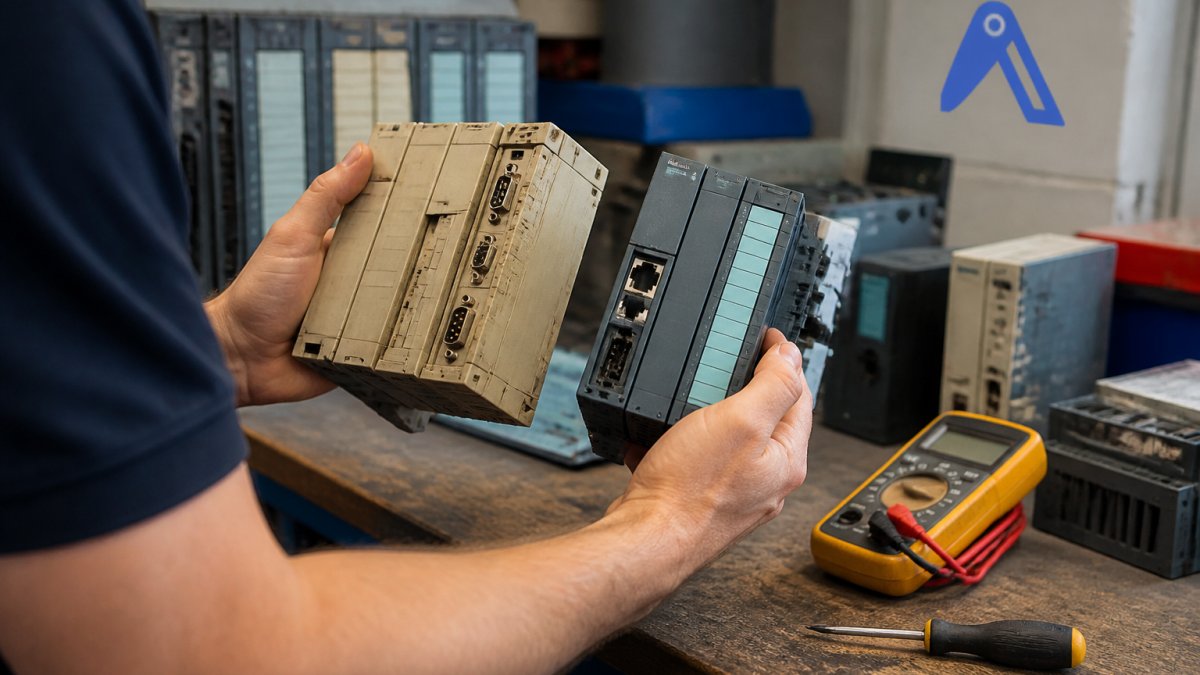
Map by function, not by part number. For each S5 module, record channel count, signal type, voltage level and isolation, then match those requirements to an S7 module in the target family.
CPU, I/O and Rack Equivalents
| S5 element | Typical S7 equivalent | Compatibility note |
| S5-95U / S5-100U CPU | S7-1200 CPU | Compact applications; program rewrite required |
| S5-115U / S5-135U CPU | S7-300 or S7-1500 CPU | Rack and I/O re-engineered |
| S5-155U CPU | S7-400 or S7-1500 CPU | High-availability cases need careful review |
| S5 digital I/O modules | S7 DI/DO modules | New terminal wiring, new addressing |
| S5 analog I/O modules | S7 AI/AO modules | Check signal range and resolution |
| S5 rack and bus | S7 rack or ET 200 distributed I/O | Physical form factor differs |
S5 to S7 Program Conversion: Where the Limits Are
Program conversion is where budgets quietly break. S5 programs were written in STEP 5; S7 targets STEP 7 Classic or TIA Portal. Automatic converters exist, but they translate syntax, not intent. The converter gives you a compilable starting point, it does not give you a validated program.
What converts, what needs rewriting, what has no equivalent
Work through the S5 program block by block and classify each one before you commit to a conversion route. The categories below are the ones that decide engineering hours.
| S5 program element | Typical outcome on S7 | What to plan for |
| Basic bit logic, timers, counters (STL/LAD/FBD) | Converts with syntax mapping | Re-verify timer resolution and retentivity; S5 and S7 timer behavior differs |
| Data blocks (DB, DX) | Converts to S7 DBs | Check absolute vs symbolic addressing; re-map DB numbers if the S7 program uses symbolic access |
| Function blocks (FB) with S5-specific system calls | Partial conversion | Rewrite calls to S7 system functions; S5 system memory (e.g. flag areas, IM/OM registers) has no direct S7 equivalent |
| Indirect addressing (register-indirect, block-end indirect) | Usually manual rewrite | S7-1500 uses different pointer and array mechanisms; test each rewritten block against recorded machine behavior |
| Communication blocks (3964R, RK512, proprietary links) | No direct conversion | Replace with S7 communication instructions or a gateway; see the communication section |
| Closed-loop control blocks (PID, temperature) | Rewrite against S7 function blocks | S5 PID blocks do not port; re-tune on the target CPU |
| Safety-related logic (where present) | Separate engineering stream | S5 safety functions require an S7-1500F or S7-1200F review; do not treat as part of the standard conversion |
The conversion route you choose changes the risk profile
There are three realistic routes, and they fail in different ways.
- Automatic converter, then manual review. Fastest to a compilable program, but the converter output is only as good as the source documentation. Undocumented S5 code, common on machines that ran for two decades, converts into code nobody can defend. Budget review time proportional to how much of the original program is undocumented.
- Block-by-block manual rewrite against the original behavior. Slower, but each block is validated as it is ported. This is the route most practitioners choose when the machine cannot afford a long commissioning window, because it lets you test function by function.
- Hybrid: convert the stable blocks, rewrite the timing-critical and communication blocks. A common pattern on older lines where most of the logic is simple but a few blocks carry the machine's real behavior.
Validating converted logic before you cut over
The validation step is what separates a conversion that holds from one that fails in production.
A Siemens-authored white paper notes that overlaying legacy S5 systems or expanding them with new S7 systems can be an alternative to full replacement, which matters when only part of a program is at risk.
If the original S5 program archive is incomplete or the source project is missing, the conversion scope cannot be fixed until the program is recovered from the CPU.
Siemens S5 and S7 Communication: Gateways and Protocols
Communication is the compatibility gap most migration guides gloss over, and it is the one that decides whether a phased migration is possible at all. S5 systems typically speak serial protocols, 3964R, RK512, and proprietary links over RS-232 or RS-422/485, while S7 systems work over PROFIBUS, PROFINET and industrial Ethernet. Where both must coexist, a gateway or protocol converter bridges the two, and the choice of gateway is a design decision, not a procurement afterthought.
Map every interface before you specify hardware
Before choosing a gateway, document each communication path on the machine. The list below is the minimum you need; missing one is how a phased migration stalls at commissioning.
- Protocol and physical layer for each link: 3964R over RS-232, RK512 over RS-422, PROFIBUS DP, PROFINET, or a vendor-specific link.
- Baud rate and frame format on the S5 side; serial links are sensitive to both, and a gateway that does not match the S5 partner's framing will not establish a connection.
- Master/slave role on each link, which side initiates, which side responds.
Gateway options and what each one buys you
The realistic choices fall into three groups.
| Gateway approach | What it does | Trade-off |
| Serial-to-PROFIBUS/PROFINET gateway | Presents the S5 serial partner as a PROFIBUS DP or PROFINET node to the S7 controller | Adds a device in the cabinet; serial framing and baud rate must match the S5 side exactly |
| Protocol converter for 3964R/RK512 | Translates the S5 protocol to an S7-readable protocol | Configuration is protocol-specific; test with the actual S5 partner, not a simulator |
| Retain the S5 CPU as a communication node | The S7 controller talks to the S5 over an existing link while the S5 continues to run part of the machine | Keeps the S5 alive and in the spares chain; only viable while verified S5 hardware is available |
A common pattern on phased migrations is the third option: the S7 controller takes over new functions while the S5 CPU stays in place for the parts of the machine that are not yet migrated, and a gateway carries the data between them. That pattern buys time, but it also means the S5 spares problem does not go away, it moves to the remaining S5 nodes.
Find it on Automa.Net →
Configuration decisions that decide whether the link works
Three decisions cause most of the commissioning delay on S5-to-S7 communication.
First, who is master.
Second, addressing and data mapping. The S7 side addresses the gateway through its PROFIBUS or PROFINET configuration; the S5 side addresses it through the serial protocol.
Third, timing and watchdog behavior. Serial links and PROFINET have different timeout characteristics. A gateway that drops the link under load will trip the S5 partner's watchdog, and the machine will fault for a reason that looks like a hardware failure.
When a gateway or the S5 communication module it depends on is no longer sourceable and the migration is still months out, our AutomaSEARCH lets you check real in-stock inventory across a verified supplier network, and the Request Board broadcasts an RFQ when a part is genuinely hard to find.
Siemens S5 PLC Replacement Options: Reuse, Refurbish or Migrate
There are three realistic paths, and the right one depends on how long the machine must run.
- Reuse existing S5 stock: fastest if verified parts are available; buys time, does not solve long-term obsolescence.
- Refurbish or source surplus S5 modules: keeps the program untouched; condition and provenance must be checked.
- Migrate to S7: highest engineering effort, but ends the obsolescence cycle.
Choosing the S7 Target: S7-300, S7-400, S7-1200 or S7-1500
Match the family to the application, not to fashion. The S7-1200 suits compact machines with modest I/O. The S7-300 fits mid-range cabinets where existing engineering is reusable. The S7-400 handles large, high-availability plants. The S7-1500 is the current long-term platform, with stronger performance and integrated security features.
For most new migrations, the S7-1500 is the sensible default. Choose older families only where spares strategy or existing plant standards justify it.
Planning Downtime, Validation and Rollback
Plan the cutover like a production event, because it is one. Sequence the work so the line runs on the old system until the new one is proven.
- Freeze and archive the S5 program and wiring documentation.
- Build and bench-test the S7 cabinet or subassembly.
- Migrate function by function, validating against recorded machine behavior.
- Run both systems in parallel where the process allows.
- Define a rollback point with the original S5 hardware retained and verified.
- Commission, document, and hand over updated drawings.
When a specific S5 module is no longer sourceable and the migration is still months out, our AutomaSEARCH lets you check real in-stock inventory across a verified supplier network, and the Request Board broadcasts an RFQ when a part is genuinely hard to find.
Frequently Asked Questions
Can a Siemens S5 communicate with a Siemens S7 PLC?
Yes, but not natively. The two families use different communication architectures, so you bridge them with a gateway or protocol converter rather than a direct cable. Serial protocols such as 3964R on the S5 side are typically converted to Profinet or Industrial Ethernet on the S7 side. In practice this means keeping the S5 CPU running while the S7 system reads and writes data through the gateway. Plan the data mapping carefully, because tag addresses and data types rarely line up one to one, and document the interface before commissioning.
Are Siemens S5 and S7 modules interchangeable?
No. S5 and S7 modules use different bus systems, form factors and signal conventions, so you cannot plug an S5 I/O card into an S7 rack or the reverse. Siemens publishes component comparison tables that map an S5 module to its closest S7 equivalent, but these are described as reference information, not a compatibility guarantee. Before ordering, verify channel count, signal type, voltage level and terminal assignment against the original nameplate and wiring diagram.
Can an S5 program run on an S7 PLC without conversion?
Not directly. STEP 5 programs do not execute on S7 hardware, and STEP 7 or TIA Portal cannot simply import them. The logic has to be reworked, either by manual re-engineering or with conversion tools that handle part of the translation. Block calls, timers, counters and indirect addressing are the usual sticking points. Treat any conversion as a rewrite with a test phase, and keep the original STEP 5 source and a running S5 spare on hand until the new program has been proven in production.
What should you check before replacing a Siemens S5 PLC?
Start with the nameplate: exact CPU order number, firmware, memory size and the module lineup in each rack. Then capture the program and any documentation, note the communication partners and protocols, and map every I/O point to its field device. Check whether the enclosure, power supply and wiring can stay. Finally, confirm that spare S5 modules are still obtainable, because a like-for-like replacement is often faster than a migration when a single card fails.
Which Siemens S7 series is suitable as an S5 replacement?
It depends on the application. The S7-1500 is the current target for most new migrations and is the focus of Siemens' own S5 migration guide. The S7-1200 suits smaller machines with limited I/O. The S7-300 and S7-400 are older families that appear in existing plants and in the second-hand market, which makes them relevant when you need a compatible spare rather than a full modernization. Match the choice to I/O count, performance needs and the software environment your team already runs.
The hard part of S5 vs S7 compatibility is not deciding to migrate; it is keeping the line running while you do it. Automa.Net supports both sides of that problem: verified legacy stock to bridge the gap, and a supplier network that surfaces hard-to-find components when the OEM lead time runs long. Start with a search for your S5 part numbers on Automa.Net, and let the migration plan follow the production calendar rather than the other way around.
Find it on Automa.Net →
Other Posts

Minimize Downtime vs Simplify Procurement: Inventory Guide
Compare minimize downtime vs simplify procurement for inventory management. Learn which approach protects uptime and when to use each.
Read More →
How to Source Obsolete Industrial Parts: 2026 Guide
Learn how to source obsolete industrial parts: confirm lifecycle status, verify suppliers, and find discontinued PLCs, drives and HMIs fast.
Read More →
Spare Parts Vendor Management Strategies for Manufacturing
Vendor management strategies for spare parts in manufacturing: supplier scorecards, RFQ checklists and sourcing obsolete automation parts without long
Read More →