Reduce Downtime with Automated Sourcing

A machine stops. The part is obsolete, discontinued five years ago. Your OEM says 20 weeks lead time, if they'll even ship it. Your production line sits idle. Meanwhile, every hour costs you thousands in lost output, labor, and customer commitments.
This is the real problem with slow parts sourcing: it's not a procurement inconvenience. It's operational paralysis. The difference between finding a verified alternative in 48 hours versus waiting months can mean the difference between a recoverable setback and a contract cancellation.
Reduce downtime with automated sourcing isn't about speed for its own sake. It's about building a procurement workflow that responds to machine failure the way your maintenance team responds to an alarm, with verified options, clear decision criteria, and execution in hours, not weeks.
The Cost of Slow Parts Sourcing
Unplanned downtime drains 11% of annual revenues from the world's largest manufacturers, totaling $1.4 trillion globally Siemens True Cost of Downtime 2024 report. The average manufacturer loses $532,000 per hour across all sectors, rising to $2.3 million per hour in automotive Aberdeen Group research cited by iFactory AI. These aren't theoretical numbers, they're the cost of machines sitting idle while buyers hunt for parts.
What makes slow sourcing worse is that most stoppages are preventable. According to Siemens and Aberdeen Group research, unplanned downtime is not random. It follows patterns. A bearing fails. A servo drive trips. A relay module burns out. These parts have known lead times, known suppliers, known alternatives.
Yet 82% of companies experienced at least one unplanned downtime event in the last three years. The bottleneck isn't machine reliability, it's procurement speed.
When your sourcing workflow relies on manual searches, email chains, and supplier callbacks, you lose hours before you even know if a part is in stock. By the time you've contacted three distributors and waited for quotes, your machine has been down for a day. If the OEM part is truly unavailable, you're now scrambling to find a refurbished unit or a compatible alternative, work that should have been done before the failure.
Automated sourcing flips this. Instead of reacting to downtime, you build a system that finds verified alternatives in minutes. The workflow doesn't change when a part fails, it accelerates.
How to Identify Industrial Spare Parts from Nameplates
You can't source a part you can't identify. The nameplate is your starting point: it holds the part number, manufacturer, voltage, frame size, and serial data. But reading a nameplate correctly and translating it into a searchable query is where many buyers stumble.
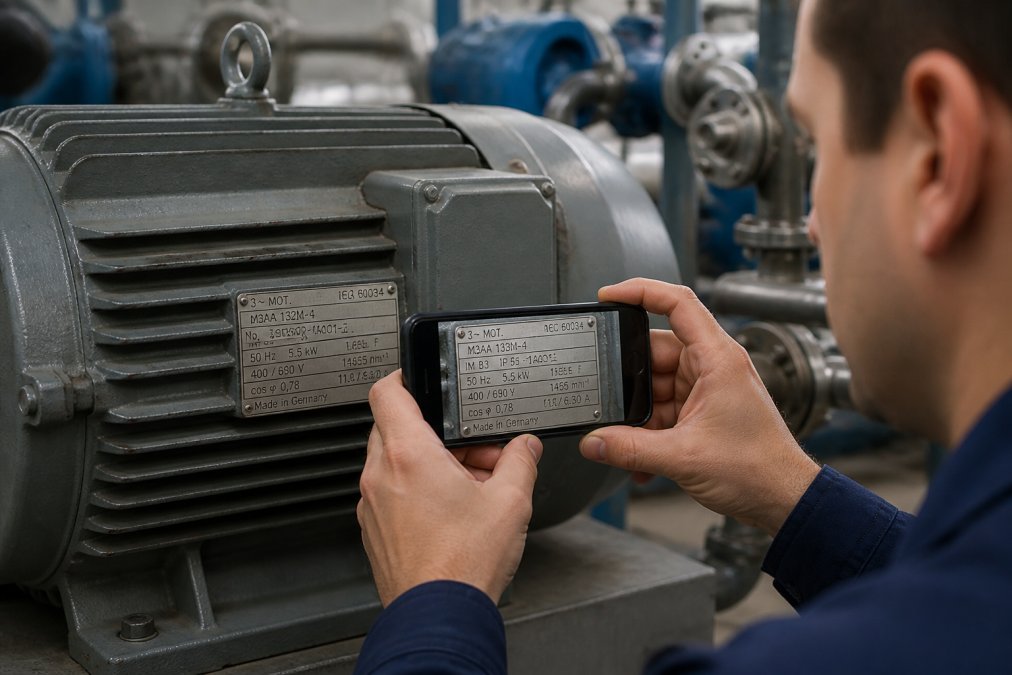
Start with the part number. It's almost always the first line on a nameplate, sometimes labeled "Type," "Model," or "Part No." For a Siemens S7-1200 PLC, it reads something like "6ES7 211-1AE40-0XB0." For an ABB frequency converter, you might see "ACS355-03E-12A7-4." Write this down exactly, spaces, hyphens, and all. A single digit wrong and you'll match the wrong component.
Next, identify the manufacturer. Siemens, Allen-Bradley, ABB, Schneider, Fanuc, Beckhoff, the brand name is usually prominent. If the nameplate is worn or faded, look for a logo or the company name stamped into the casing.
Then capture the key specifications: voltage (24 VDC, 230 VAC, 400 VAC three-phase), current rating, frame size, and any special markings. For drives and motors, the power rating (kilowatts or horsepower) matters. For controllers, the number of I/O points or memory capacity can distinguish variants.
Serial numbers and manufacturing dates help verify age and authenticity, but the part number is what drives the search. If you're sourcing a replacement for a machine built in 1998, the serial number tells you the part is genuinely from that era, useful for cross-referencing compatible alternatives.
Photo the nameplate if you can. A clear image eliminates transcription errors and gives suppliers visual confirmation of what you're looking for. Many modern sourcing platforms now accept nameplate photos directly, extracting the part number automatically. This cuts out manual data entry entirely.
Reducing MRO Procurement Lead Times Through Automation
Lead time is the interval between order and delivery. For OEM parts, especially legacy components, lead time can stretch to 16 weeks or longer. For refurbished or surplus stock, it collapses to days.
The automation here isn't about robots. It's about eliminating the steps that waste time.
In a manual workflow, a buyer receives a work order, searches a single distributor's catalog, waits for a response, then tries the next one. Each step takes hours. By the time you've contacted five suppliers, a day has passed. If none have stock, you escalate to the OEM, and now you're locked into their lead time.
Automated sourcing compresses this. A single query broadcasts to dozens of verified suppliers simultaneously. Their inventory systems respond in real time. Within minutes, you see who has stock, who has refurbished units, who can source from a secondary market. You compare lead times, prices, and supplier ratings side by side.
The workflow becomes:
- Identify the part. Extract the part number from the nameplate or work order.
- Query the network. Submit a request to multiple suppliers at once, not sequentially.
- Receive offers. See real-time inventory, pricing, and delivery windows from all sources.
- Evaluate and order. Choose the best option, fastest delivery, lowest cost, or highest reliability, and execute the order immediately.
This entire cycle takes 15 to 30 minutes. A machine that would have been down for days is back online within 48 hours.
The key is network breadth. If you're querying only three distributors, you're missing 80% of available stock. A verified network of 5,000+ suppliers, distributors, brokers, machine builders, refurbishers, means every query has a chance of finding the part somewhere. Obsolete stock that exists in a warehouse in another country becomes visible and reachable.
Building a Sourcing Workflow for Legacy and Obsolete Parts
Legacy and obsolete parts demand a different sourcing strategy than current-generation components. A Siemens S5 PLC from 1995 isn't in any OEM catalog. A discontinued ABB drive with a custom firmware load is a one-of-a-kind spare. These parts exist in the secondary market, refurbished inventory, surplus stock, or machines being scrapped for parts.
Your sourcing workflow needs to account for this.
Start by building a parts list of critical components: the drives, controllers, sensors, and modules that, if they fail, stop the machine. For each part, document the original part number, manufacturer, and any known alternatives. This becomes your baseline.
When a part fails, query that baseline first. If the original part is unavailable through standard channels, expand to refurbished and surplus markets. Define your acceptance criteria: will you accept a unit with cosmetic damage? A part with unknown service history? A module that requires testing before installation? These decisions speed up the search and reduce false leads.
Next, establish supplier relationships before you need them. A refurbished Siemens drive might come from a specialist refurbisher you've never contacted before. If you wait until the machine is down, you're starting a relationship under pressure. Pre-vetting suppliers, confirming their testing standards, warranty terms, and turnaround times, means you can order with confidence when time matters.
Find it on Automa.Net →
For truly obsolete parts, consider functional equivalents. A discontinued relay module might have a drop-in replacement from the same manufacturer or a compatible third-party unit. This requires technical knowledge, you need to verify pin compatibility, voltage tolerance, and signal timing. But it expands your options dramatically.
Document every successful sourcing decision. If you found a compatible ABB drive that works in place of a Siemens unit, record it. Build an internal knowledge base of workarounds. The next time that Siemens part fails, you already know the alternative.
Integrating Automated Sourcing with Your Current Systems
Your ERP system holds the bill of materials. Your CMMS tracks maintenance history. Your inventory database knows what's in stock. Automated sourcing doesn't replace these systems, it feeds off them and talks back to them.
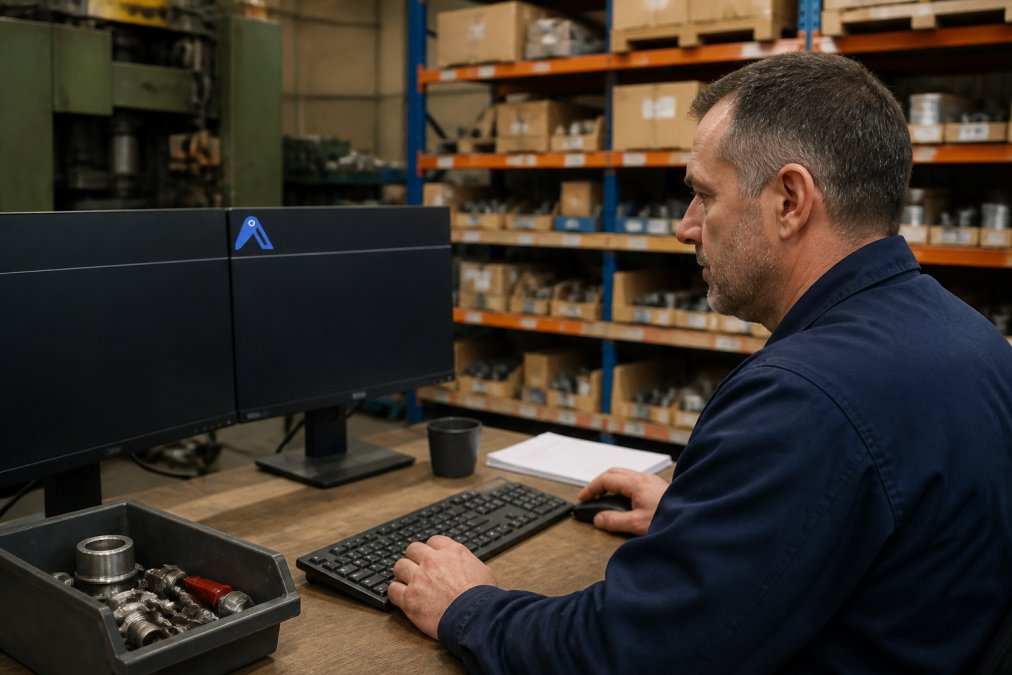
The integration starts with data. Export your BOM from SAP, Oracle, or whatever ERP you use. Load it into a sourcing platform that can read part numbers, match them against supplier catalogs, and flag obsolescence risk. This isn't a one-time exercise, it's continuous. Every month, reprice your BOM against current market rates. You'll find that some parts have become cheaper (new suppliers entered the market), others more expensive (lead times extended), and some have disappeared entirely.
Next, connect your CMMS to your sourcing workflow. When a work order is created for a failed component, the system should automatically query available stock and suggest suppliers. This turns maintenance response time from days to hours. The technician doesn't hunt for parts, they're presented with verified options before they finish the repair plan.
For integration with legacy systems, use APIs where available, or batch data exports if not. Many older ERPs don't have modern integrations, but they can export to CSV. A simple ETL process (extract, transform, load) can move that data into a sourcing platform, run the analysis, and import results back into your system.
The real integration challenge isn't technical, it's process. Your procurement team needs to trust the automated recommendations. This means starting small. Run the system in parallel with your existing sourcing workflow for a month. Compare results. If the automated system finds parts faster and at better prices, adoption follows naturally.
Managing Risk During the Transition to Automated Sourcing
Automation introduces new risks. You're relying on data quality you may not fully control. You're trusting supplier ratings and inventory claims you can't verify instantly. You're changing procurement behavior while machines still need to run.
Start with low-risk parts. Choose components with clear specifications, multiple suppliers, and high demand. A common 24 VDC power supply has dozens of suppliers and compatible alternatives. Use automated sourcing to find and compare options. Verify one order manually, confirm quality and delivery, then automate the rest.
Avoid automating the sourcing of mission-critical, custom, or single-source parts until the system has proven itself. A proprietary servo firmware load or a custom-wound transformer isn't a good test case. These parts require human judgment and supplier relationships that automation can't replicate.
Build verification steps into the workflow. Before a large order executes automatically, require a human approval gate. As confidence grows, reduce the approval threshold. But never fully remove it, a $50,000 order to an unknown supplier should always get a second look.
For supplier risk, use the platform's vetting data. Check how long a supplier has been active, their ratings from other buyers, their return and warranty policies. A supplier with 100 positive transactions is lower risk than one with five transactions and no history. Avoid suppliers with no track record, no matter how attractive their price.
Document every sourcing decision and outcome. If a refurbished part arrived damaged, record it. If a supplier missed a delivery date, flag it. This feedback loop improves the system's recommendations over time. It also protects you, if a supplier becomes problematic, you have evidence to support switching to an alternative.
Your Next Step: Start with Real-Time Part Search
The first step toward reduce downtime with automated sourcing is visibility. You need to know, in real time, where a part is available, how much it costs, and when you can get it.
Start by searching your most critical parts. The drives, controllers, and sensors that, if they fail, halt production. Use a real-time search tool that queries multiple suppliers simultaneously. See what's in stock, what's refurbished, what's available from the secondary market.
At Automa.Net, our AutomaSEARCH tool does exactly this. Query a part number, whether it's a current Siemens component or a discontinued module from 15 years ago, and see verified inventory from our network of 5,000+ distributors and brokers across Europe. You get lead times, pricing, supplier ratings, and stock status in minutes.
From there, build your baseline. Document the parts you search most often. Track which suppliers consistently have stock. Identify which parts have viable alternatives. This foundation becomes the intelligence that powers faster decisions when machines fail.
The goal isn't to eliminate procurement, it's to make it fast enough that downtime doesn't become the constraint. When you can source a replacement in 48 hours instead of weeks, the machine comes back online. The contract stays intact. The team keeps working.
That's what automated sourcing delivers: not perfection, but speed. And in manufacturing, speed is survival.
Slow parts sourcing creates cascading failures: downtime spreads, costs multiply, and your team loses confidence in the supply chain. The solution isn't better relationships with one distributor, it's visibility across the entire market.
Automa.Net connects you to verified suppliers across Europe, with real-time inventory data and automated sourcing workflows built for legacy and obsolete parts. Start by searching your critical components and building a baseline of sourcing intelligence. Get started with Automa.Net AutomaSEARCH and see what parts are available right now.
Frequently Asked Questions
How does automated sourcing reduce industrial downtime?
Automated sourcing collapses the time between equipment failure and parts delivery. When a machine stops, your team captures the part number or nameplate data, the system searches across verified supplier networks in real time, and you locate stock immediately instead of calling distributors for hours. This eliminates the 'hunting' phase. Unplanned downtime costs manufacturers €532,000 per hour on average, rising to €2.3 million per hour in automotive production. Even a 4-hour reduction saves tens of thousands. Automation also prevents the wrong part being ordered, a critical risk when technicians rely on memory or faxed drawings.
What is the fastest way to identify a part from a nameplate when a machine fails?
Take a clear photo of the nameplate with your smartphone and upload it to a parts identification tool. The tool extracts the manufacturer, model number, and specifications automatically, removing manual transcription errors. For legacy equipment without readable nameplates, note the machine brand, production year, and the position of the failed component, then search by application. Tools like AutomaSnap automate this photo-to-data step, cutting identification time significantly. This speed matters most when the machine is down and your production schedule is bleeding.
Can automated sourcing work with our legacy ERP, or do we need to replace it?
You do not need to replace your ERP. Automated sourcing platforms work alongside your existing system. Your ERP tracks internal inventory and financials; an external parts marketplace finds and sources the parts your ERP says you need. The integration point is simple: when your maintenance team logs a missing part in the ERP, they simultaneously search for it on a parts marketplace. Data flows one way initially, you pull supplier pricing and lead times into your procurement workflow. Over time, you can automate this pull so that price updates and availability checks happen daily without manual effort. Start with parallel workflows, then tighten integration as your team gains confidence.
How long does it take to see ROI from automated sourcing?
ROI depends on your downtime frequency and part sourcing costs. If your operation loses €50,000 per year to slow sourcing and downtime, and automated sourcing cuts that by 30%, you save €15,000 annually. If implementation requires minimal training and no software subscription costs, the payback is immediate. Most teams see measurable improvements in lead time within the first month, typically a 40-60% reduction in the time from failure notification to part delivery. The financial case strengthens as your team sources more parts; each additional sourcing event compounds the time savings.
Find it on Automa.Net →
Other Posts

Managing Industrial Inventory for Legacy Machines
Industrial inventory legacy machines: Manage industrial inventory for legacy machines effectively. Learn strategies for sourcing obsolete parts, reduc...
Read More →
Best Strategies for Managing MRO Inventory
Managing MRO inventory: Master MRO inventory management with 7 proven strategies: demand forecasting, criticality analysis, standardized data.
Read More →
Supply Chain Disruptions: Impact on Spare Parts Availability
Supply chain disruptions cause 40% unplanned downtime and erase EBITDA. Learn how disruptions impact spare parts.
Read More →