Sourcing Hard-to-Find Allen-Bradley Drives: 7 Best Practices

Why Hard-to-Find Allen-Bradley Drives Stall Maintenance Teams
A drive fails at 06:40, the line stops, and the OEM tells you the replacement is 20 weeks out. That gap between failure and a working unit is where maintenance budgets disappear. Sourcing hard-to-find Allen-Bradley drives is not a shopping problem; it is a continuity problem, and the teams that solve it treat it as a process rather than a scramble. The plants that recover fastest are the ones with a documented sourcing routine before the failure happens. Below we set out seven practices for sourcing hard-to-find drives, from decoding the catalog number to broadcasting a requirement across a supplier network.
Start With an Allen-Bradley Drive Part Number Lookup, Not a Search Engine
Typing a model family into a general search engine may return distributors, forum threads and marketing pages. An Allen-Bradley drive part number lookup can start from the full catalog number on the nameplate. Check the catalog number against product documentation to confirm the drive's specifications.
Decode the Catalog Number Before You Ask for a Quote
Photograph the nameplate, transcribe every character, and check the result against the official product documentation before you contact anyone. If the nameplate is worn, Rockwell Automation's drive product pages list the current families and their ordering structure. Once the number is confirmed, you can browse the brands available on the marketplace to check coverage before requesting a quote.
Confirm Lifecycle Status and Successor Product
A catalog number that exists is not the same as a catalog number that is still produced. Check the lifecycle status first. If the drive is active, consider new stock. If it is discontinued with a published successor, compare the successor against your application. If it is obsolete with no direct replacement, consider surplus and refurbished options. Our guide to industrial spare parts obsolescence management explains how to read lifecycle stages and plan successors before the next failure.
Plan Allen-Bradley Drive Replacement Around Compatibility, Not Just Fit
A successor drive that mounts in the same space may still be incompatible with your machine. Allen-Bradley drive replacement planning can include firmware, parameter sets, communication options and the motor itself, not only the physical envelope. A drive is a configured device, so include configuration in your assessment.
What to Check Before Accepting a Successor Drive
Run through this list before you accept any substitute unit:
- [ ] Frame and mounting dimensions match the existing enclosure
- [ ] Voltage class and current rating cover the motor nameplate
- [ ] Communication option supports your existing network and PLC
- [ ] Firmware version is compatible with your programming software
- [ ] Parameter set can be transferred or rebuilt, not just re-entered
- [ ] Safe-torque-off or other safety functions match the machine's risk assessment
Check the successor's feedback type and communication card against your application before ordering.
Use a Structured Allen-Bradley Drive RFQ Template
A structured Allen-Bradley drive RFQ template can help you request comparable offers. Specify the details that affect price or fit.
Fields Every RFQ Should Carry
Include the full catalog number, quantity, application context, required condition, deadline and delivery location. Add the nameplate photo and any known faults. State whether you accept a successor or refurbished unit, because that single field widens or narrows your supplier pool.
RFQ template
Catalog number: [full nameplate string]
Quantity: [n]
Application: [machine, motor rating, duty cycle]
Condition accepted: [new / refurbished / surplus]
Successor accepted: [yes / no, with constraints]
Required by: [date]
Delivery to: [site address]
Attachments: [nameplate photo, fault description]
A precise RFQ records the specification you sent to the supplier.
Evaluate New, Refurbished and Surplus Allen-Bradley Drives on Equal Terms
Compare each sourcing route on the same criteria: condition evidence, lifecycle status, configuration effort, warranty terms and lead time. Surplus Allen-Bradley drives may be new in box or pulled from a decommissioned machine. A PowerFlex 70 pulled from a working line and a PowerFlex 70 still in its sealed carton may differ in risk, documentation and configuration work.
Find it on Automa.Net →
Sourcing Option Comparison
| Route | Typical lead time | Condition evidence to demand | Lifecycle status | Main trade-off |
| New from OEM | Longest | Manufacturer warranty and date code | Active | Highest price, longest wait |
| New-old-stock surplus | Short | Sealed packaging, date code, storage history | Discontinued but unused | Ageing capacitors and firmware drift |
| Refurbished | Short to medium | Test report, replaced components list, warranty terms | Discontinued | Warranty varies by refurbisher |
| Surplus, pulled | Shortest | Supplier inspection record, serial and date code | Obsolete | Configuration and wear unknown |
| Repair and return | Medium | Fault report, repair scope, retest record | Any | Downtime during repair, not eliminated |
What Each Route Actually Costs You Beyond the Unit
The comparison can include the engineering time to rebuild parameters, the risk of a firmware mismatch with your programming software, and potential downtime if the unit fails commissioning. Ask for the date code on any new-old-stock unit and consider it alongside your requirements.
For drives that are obsolete with no published successor, repair and return is another route to consider alongside surplus and refurbished. If you are weighing refurbished against new, our article on whether buying refurbished industrial electronics is worth it sets out the questions to ask before you commit. For discontinued components more broadly, this guide to sourcing obsolete electronic components covers the routes in more depth.
You can identify a primary sourcing route and a fallback before a failure occurs.
Verify the Supplier and the Unit Before Money Moves
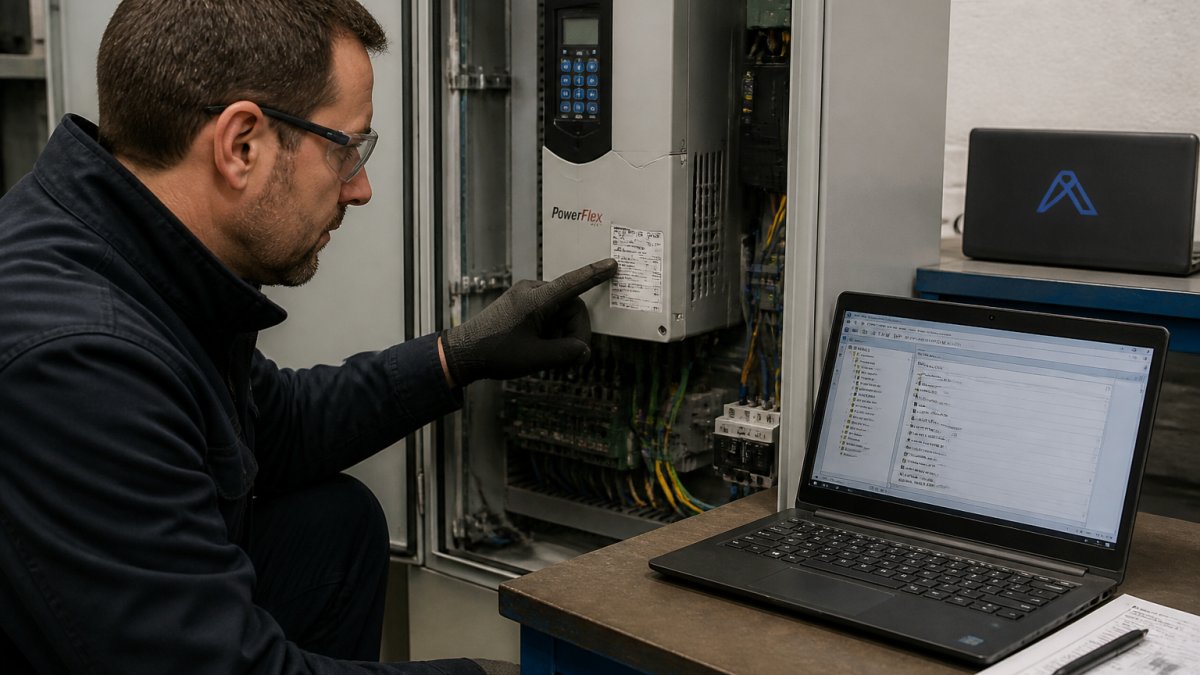
A part number and a photo do not establish every detail about a unit. You can verify the supplier's identity and the unit by asking for an actual nameplate photo and checking that the serial and date code match what is being sold. On arrival, inspect the unit and check its firmware version before installation.
Supplier Checks Before You Commit
- [ ] Business registration and trading address confirmed, not just a web storefront
- [ ] Returns policy in writing, with a stated window and restocking terms
- [ ] Warranty terms stated per unit, not per order
- [ ] Test report or inspection record available on request
- [ ] Provenance stated: OEM, decommissioned line, or broker stock
- [ ] Payment route with documented terms and a recovery path
Unit Checks When It Arrives
- [ ] Nameplate photo matches the serial and date code quoted
- [ ] Enclosure shows no signs of opening, rework or mismatched fasteners
- [ ] Firmware version matches what was specified or is compatible with your software
- [ ] Parameter set can be read and compared against your backup
- [ ] Bench test under load before installation, not after
Treat urgency as a reason to review the listing and available documentation carefully.
Ask for available documentation, such as a test record, provenance statement and written warranty. Where a unit's history cannot be established, consider that uncertainty in your decision.
Manage Spare-Parts Availability So the Next Failure Is Covered
Record every drive on site with its catalog number, firmware and parameter backup, then flag the ones that are obsolete or single-source. When a drive reaches end of life, decide in advance whether you stock a spare, plan a successor or schedule a system redesign.
Broadcast Your Drive Requirement to the Automa.Net Request Board
Post the catalog number, condition and deadline to the Request Board to broadcast an RFQ to suppliers. AutomaSEARCH lets you search for parts across the network.
Build the part number record, the RFQ template and the spare-parts list now. Get started with the Request Board to broadcast your next drive requirement.
Frequently Asked Questions
How do you find a discontinued Allen-Bradley drive?
Start with the exact catalog number from the drive nameplate, not a generic model family search. Confirm the lifecycle status through Rockwell Automation's product resources, then search surplus and refurbished channels for that specific number. Ask each seller for the date code and any available test record before you commit.
What should an Allen-Bradley drive RFQ template include?
Include the full catalog number, series and firmware version, the machine and application it runs, required quantity, acceptable condition (new, refurbished or surplus), and any deadline tied to a shutdown window. Add a photo of the nameplate and the existing parameter set. State whether a successor product is acceptable or whether form-fit-function equivalence is mandatory. A complete RFQ records the details of your requirement.
How do you check whether a replacement drive is compatible?
Compare the replacement's specifications and configuration against the original and your application. Check compatibility with your existing equipment and software before installation.
What is the difference between new, refurbished and surplus drives?
New, refurbished and surplus describe different sourcing options. Ask the seller to confirm the unit's condition, any testing or repair, warranty terms and packaging. Compare the available information against your requirements.
What should you ask a supplier before buying a surplus Allen-Bradley drive?
Ask for the exact catalog number and date code, the unit's history (pulled from service, never installed, or overstock), any test or power-on record, and the warranty terms in writing. Request photos of the nameplate and terminals. Confirm the seller's return policy and whether they can provide the parameter set if it was saved. Use the answers and available documentation to assess the offer.
Find it on Automa.Net →
Other Posts

Which Obsolete PLC Modules Should You Source First?
Find the obsolete PLC modules worth sourcing first. Compare part numbers, lifecycle status, and compatibility to keep legacy systems running.
Read More →
Alternatives to Discontinued Allen-Bradley Servo Motors
Find discontinued Allen-Bradley servo motor alternatives. Compare OEM replacements, cross-brand swaps and refurbished units.
Read More →
Centralized vs Decentralized Inventory: Which Fits Your Plants?
Compare centralized vs decentralized inventory across carrying costs, lead times and service levels, then choose the right model for each part.
Read More →