How to Clean Bills of Materials for Industrial Procurement

Start With the Operational Problem: Dirty BOM Data Stops Production
The line is down. You have the part number from the machine builder's manual, but the OEM quotes 20 weeks.
That is the real cost of dirty BOM data. Not a report nobody reads, but a purchase order for the wrong drive, a stockout on a sensor you thought you had, and a maintenance team standing idle.
How to clean bills of materials for industrial procurement comes down to one principle: treat every line as a purchasing decision, not an engineering note.
Why BOM Cleanup Is a Procurement Task, Not an Engineering One
Engineering owns the design intent. Procurement owns the transaction. Those are different jobs, and the gap between them is where bad data lives.
A common mistake is waiting for engineering to "fix the BOM" before sourcing. Engineering built the machine years ago.
So the cleaning work belongs to the people who will place the order. You check the part number against real supplier catalogs.
The BOM Cleanup Checklist: Field-by-Field Validation Before You Send an RFQ
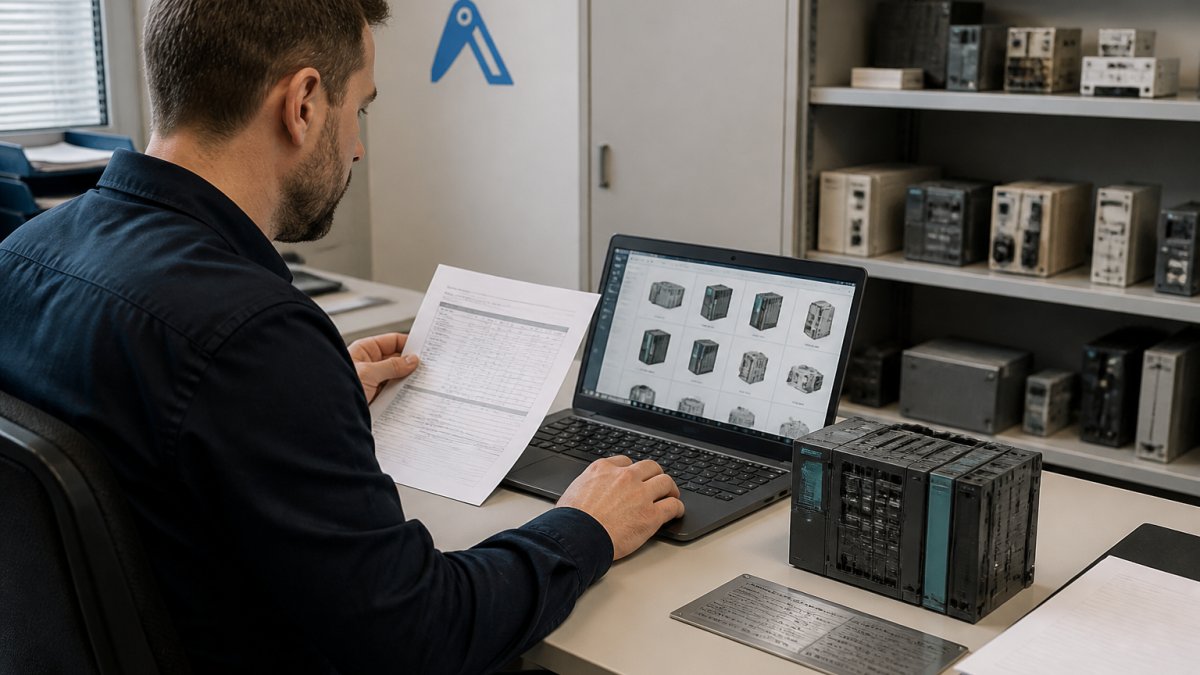
A BOM cleanup checklist is a fixed set of field-level checks you run on every line before sourcing. It turns a vague "is this BOM right?" into a repeatable pass or fail. Most guides stop at listing fields.
Work top to bottom through each line. Do not skip fields because they look fine.
| Field | Validation rule | Normalization standard | Fail example |
| Manufacturer name | Matches the maker's registered spelling | Use the manufacturer's own form, not a distributor alias | "Siemens" vs "Siemens AG" vs "Siemens Automation" |
| Manufacturer part number | Follows the maker's real format, including suffixes and dashes | One part number per line, no ranges or wildcards | "6ES7-315" with no suffix |
| Description | Names maker, series, function, and key spec | Fixed pattern: maker + series + function + spec | "Control unit" |
| Quantity | Matches machine count, confirmed against as-built | Whole units only, no decimals | "1" where the line has two drives |
| Unit of measure | Matches how the part is sold | Controlled list: piece, metre, set, kit | "1" for cable sold per metre |
| Technical specification | Voltage, rating, interface stated | SI units, no mixed imperial/metric | Missing on a VFD line |
| Status | Active, substitute, or obsolete | One status per line, no free text | Blank status on a discontinued CPU |
Part Number and Manufacturer Part Number Checks
The manufacturer part number is the only field that survives translation between systems. Descriptions drift. Part numbers either match or they do not.
Check three things on every line:
- The number follows the maker's real format, including suffixes and dashes
- The maker name is spelled as the manufacturer writes it
- Obsolete markers are flagged, not hidden
A truncated number is the most expensive error. It looks valid, searches return results, and you order a variant with the wrong interface. A common pattern is a base number that maps to several variants differing only in interface or rating: for example, a Siemens SIMATIC S7-300 CPU family where the order number suffix determines the interface type.
Quantity, Unit of Measure, and Description Normalization
Normalization means every line uses the same format for the same kind of data. Industrial procurement-specific normalization goes further than most guides admit.
- Quantities in whole units, with the machine count confirmed against the as-built drawing or a physical walkdown
- Units of measure standardized to a controlled list: piece, metre, set, kit. Cable sold per metre must not be entered as "1"
- Descriptions rebuilt as "maker + series + function + key spec" so a buyer can match without opening a catalog
- No free-text notes left in the description field; move them to a separate notes column or delete them
The line that says "1" for a part sold per metre will produce a purchase order for one metre of a 50-metre run. Normalize the unit before you send anything.
BOM Validation for Procurement: Matching Supplier Data to Your Internal Records
BOM validation for procurement is the step where you prove each line against live supplier data, not against your own memory of the machine.
You are looking for a match on three levels: the part exists, a supplier has it, and the specification fits the application.
A practical approach is to sort lines into three buckets:
- Matched: part number and spec confirmed against a supplier listing
- Substitute needed: part discontinued, approved alternative identified
- Unresolved: no match, needs a nameplate photo or a manual check
For unresolved lines, a photo of the nameplate often settles it faster than any database. We built AutomaSnap for exactly this case: identify the part from the nameplate, then search the network.
Build an Industrial Procurement BOM Template That Survives Revision Control
An industrial procurement BOM template is a fixed column set that every BOM must use before it enters sourcing.
Keep it narrow. A sourcing BOM needs these columns and little else:
- Line ID
- Manufacturer and manufacturer part number
- Description in your standard format
- Quantity and unit of measure
- Technical specification
Revision control is what makes the template survive. Every change gets a revision number and a date. No silent edits.
This is the discipline that keeps a BOM usable two years later, when the original buyer has moved on and the machine is still running.
BOM Repricing Tools: How to Refresh Cost Data Without Re-Keying Every Line
BOM repricing tools refresh the cost column on a BOM from live supplier data instead of manual re-entry.
Re-keying costs by hand introduces errors and takes days.
What to look for:
Find it on Automa.Net →
- Matching on manufacturer part number, not description
- Clear flags for discontinued and repriced lines
- Export back into your template without reformatting
Our BOM Repricer does this against the network's live inventory. You keep the template, and the cost column comes back current.
A repriced BOM also gives you a sourcing signal. Lines with no live supplier are your obsolete risk.
Resolve Duplicates, Obsolete Parts, and Approved Substitutes Before They Hit the Purchase Order
Duplicate and obsolete lines are where a clean BOM quietly turns back into a dirty one. Resolve them at the BOM stage, not at the purchase order. The procedure below gives you a decision path for each case, so the outcome is recorded and repeatable rather than handled ad hoc.
Duplicates: Match on Part Number, Not Description
Duplicates usually come from two descriptions of the same part, or one part entered under two maker names. Match on manufacturer part number and merge. Keep one line, one quantity.
A practical merge rule:
- If two lines share the same manufacturer part number, merge them and sum the quantities
- If two lines share a description but different part numbers, treat them as separate parts until a nameplate or datasheet proves otherwise
- If one line uses a distributor alias and another the maker's name, normalize the maker name first, then re-check for duplicates
Do not merge on description alone. "24V power supply" can map to dozens of distinct parts with different current ratings and form factors.
Obsolete Parts: Decide, Do Not Flag
Obsolete parts need a decision, not a flag. For each one, choose one of three paths and record the choice on the line:
| Path | When to use | What to record |
| Approved substitute | A current part matches the specification | Substitute part number, approval reference, date |
| Surplus or refurbished source | The original part is still available from secondary stock | Source type, condition grade, verification method |
| Redesign | No substitute or secondary source fits | Engineering ticket reference, target date |
A flag with no decision is not a resolution. It just moves the problem to the next buyer.
Approved Substitutes: Record the Approval, Not the Conversation
Approved substitutes must be recorded in the BOM with their own part number and a note on what they replace. An approved substitute that lives only in someone's inbox is not approved.
Record three things on every substitute line:
- The substitute manufacturer part number
- The original part number it replaces
- The approval reference and date
Without those three, the next buyer cannot tell whether the substitute was ever approved or simply entered by mistake.
A Worked Example
A line reads: "Siemens PLC, 1 off, control unit." The part number field is blank. The description names a maker but no series or function.
Step 1: Match the description to a nameplate photo from the machine. The nameplate shows a SIMATIC S7-300 CPU with a specific order number.
The line is now procurement-ready: one part number, one quantity, one unit of measure, one status, and a recorded approval.
Governance and Change Control: Who Owns the BOM After Cleanup
Ownership is the difference between a BOM that stays clean and one that decays within a quarter. Someone has to own it by name.
Split the ownership clearly:
- Engineering owns design intent and approves substitutes
- Procurement owns the sourcing template and the cost and status columns
- Maintenance owns the as-built reality on the floor
Name one person as BOM owner. Set the rule that no line changes without a revision.
This is the governance layer most cleanup projects skip, and it is why the data goes bad again. The cleanup is a project.
Conclusion
The next machine that stops will need a part you can source today, and the BOM is the document that decides how fast you find it. Clean it line by line, validate it against live supplier data, and give it an owner who keeps it that way.
When a line comes back unresolved, the fastest next step is a broadcast RFQ. Post it to the Request Board and let verified suppliers across the network respond with real stock.
Frequently Asked Questions
How do you clean a bill of materials for procurement?
Start by exporting the BOM line by line and validating four fields: manufacturer part number, quantity, unit of measure, and component description. Remove duplicate lines, flag obsolete part numbers, and match each line to a current supplier catalog entry. Normalize descriptions to a consistent format so part matching works across suppliers. Then reprice the cleaned list against live market data before issuing RFQs. The whole process is repeatable and should run before every major sourcing round, not once a year.
What information should an industrial BOM include?
At minimum: a unique line item number, manufacturer name, manufacturer part number, quantity, unit of measure, and a technical description that distinguishes the part from similar variants. For industrial procurement, add the machine or asset reference, the revision level, and any approved substitute. Including the original equipment manufacturer and the nameplate data helps when the part is obsolete and you need to find a verified alternative from surplus or distributor stock.
How should buyers handle obsolete or discontinued BOM items?
Flag obsolete lines separately from active ones. For each, record the last known manufacturer part number, the machine it serves, and any approved substitute. Then search distributor and surplus networks for remaining stock rather than assuming the line must be redesigned. Many legacy PLC, drive, and HMI modules remain available through specialist suppliers long after the OEM discontinues them. Keep the obsolete line in the BOM with a status field so the next buyer does not repeat the search.
Which tools can help clean and reprice a BOM?
Spreadsheet formulas handle deduplication and basic normalization, but they do not verify part numbers against live supplier inventory. BOM cleaning tools that match lines to a supplier catalog and refresh cost data save the manual re-keying step. Automa.Net's BOM List Cleaner and BOM Repricer connect a cleaned BOM to real in-stock inventory across a distributor network, which is useful when you need to confirm availability before quoting or issuing a purchase order.
Find it on Automa.Net →
Other Posts

Finding Hard-to-Find PLC Parts: A 2026 Sourcing Guide
Learn a repeatable process for finding hard-to-find PLC parts: part number lookup, compatibility checks, and sourcing obsolete or refurbished modules.
Read More →
Siemens S5 vs S7 Compatibility: The 2026 Migration Guide
S5 vs S7 compatibility explained: module mapping, program conversion limits, communication gateways and replacement options for legacy Siemens PLCs.
Read More →
Critical Spares Matrix: A Practical Guide for MRO Teams
Build a critical spares matrix ranking parts by risk, lead time and production impact. Includes a template and steps for obsolete automation parts.
Read More →