Is the 6BK1621-0AA00-0AA0 Still the Right Gateway?

The 6bk1621-0aa00-0aa0 is still the right gateway when a PROFINET line must exchange data with a BACnet/IP building system, since it handles the protocol conversion both sides need. Siemens released it on 11/30/2017, so treat it as a lifecycle-managed legacy part: confirm its lifecycle status and hold a verified spare.
- The module runs on 24 V DC, draws 0.11 A, consumes 2.7 W and offers one 100 Mbps Ethernet port.
- It uses the B-GW device profile with an IP20 enclosure, so it belongs inside a cabinet.
- Standard lead time ex-works is listed at 5 days, but that is nominal, not a promise.
- Keep a mapping sheet of PROFINET IO address, signal name, data type, BACnet object type, instance number and units.
- Check UDP 47808, subnet and firewall when the gateway is visible on PROFINET but absent on BACnet.
What the 6BK1621-0AA00-0AA0 Actually Does in Your Network
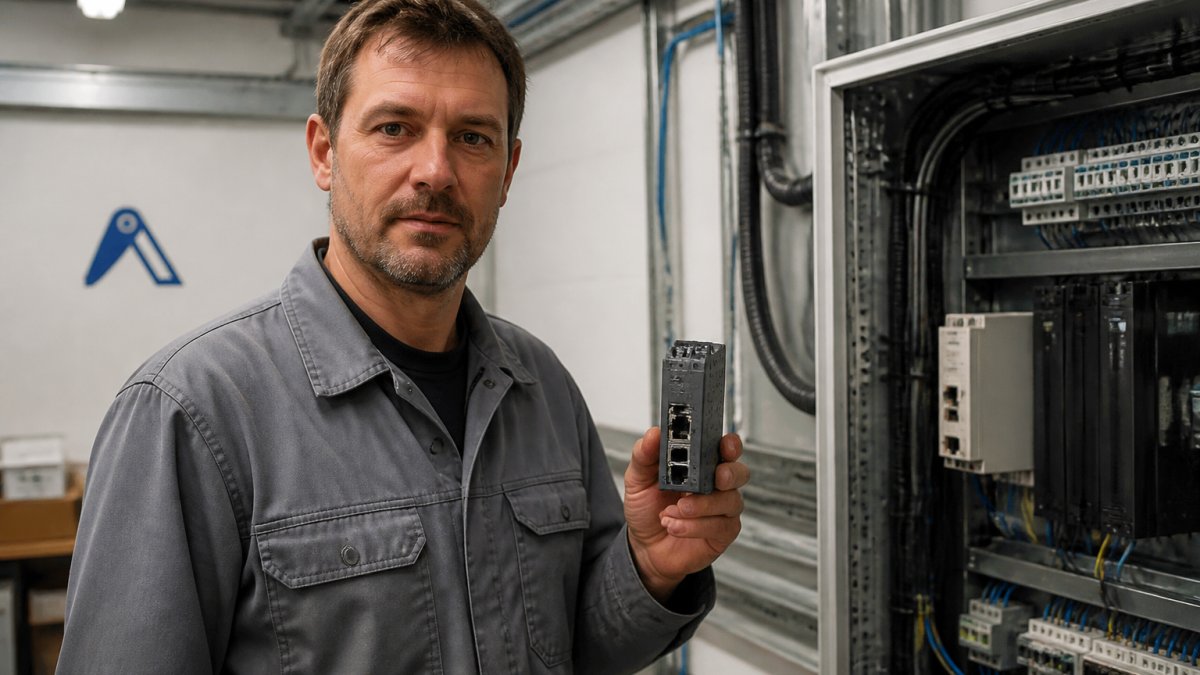
The 6BK1621-0AA00-0AA0 is a Siemens SIMATIC PN/BACnet LINK coupling module that connects a PROFINET industrial network to a BACnet/IP building automation system.
That single function explains why the module still matters. A production line runs on PROFINET. The ventilation, cooling and access control around it run on BACnet/IP.
Related Siemens components and current availability sit in our Siemens spare parts category if you are mapping the surrounding hardware.
Technical Specifications and Datasheet Facts
The datasheet facts are straightforward, and they are the first thing to check against a failed unit. Get one number wrong and you order the wrong module.
Electrical and Network Ratings
The module is specified at 24 V DC, drawing 0.11 A and consuming 2.7 W. It carries one Ethernet port with a transmission rate of 100 Mbps. Those figures matter for two reasons: they confirm the module is a light load on your 24 V supply, and they tell you the network link is Fast Ethernet, not gigabit.
Device Profile and Protection Rating
The module uses the B-GW device profile, which is the profile that governs gateway behaviour between the two protocols. Its enclosure is rated IP20, so it belongs inside a cabinet, not on a machine frame in a washdown area.
| Parameter | Value | Source |
| Supply voltage | 24 V DC | Franklin Empire |
| Current draw | 0.11 A | Franklin Empire |
| Power consumption | 2.7 W | Franklin Empire |
| Ethernet ports | 1 | Franklin Empire |
| Transmission rate | 100 Mbps | Franklin Empire |
| Device profile | B-GW | Siemens Product Information |
| Protection rating | IP20 | Siemens Product Information |
| Dimensions | 12.6 × 9.00 × 8.7 cm | Siemens product listing |
| Net weight | 0.26 kg | Siemens product listing |
Siemens published the delivery release for this module on 11/30/2017, according to Siemens product information for the 6BK1621-0AA00-0AA0. That date tells you the part is not new, and it shapes everything about how you source it.
Availability, Delivery Status and What You Will Pay
Availability fluctuates. Standard lead time ex-works is listed at 5 days by Electric Automation Network's product listing, but that is a nominal figure, not a promise for a specific order.
Here is the honest picture. Distributor listings for this kind of legacy module can show out-of-stock status, and pricing is often not published openly.
Watch out: a listing that shows the part as available but cannot confirm condition or date code is worth less than a slower, verified quote.
Building an Industrial Spare Parts Sourcing Strategy Around Legacy Gateways
A legacy gateway is a single point of failure with an awkward supply profile. It is old enough that new stock is thin, but critical enough that you cannot simply wait for a replacement generation. Because this is a legacy module, treat it as a lifecycle-managed part rather than a catalogue item: know its status, know its successors, and hold a verified spare.
Read the lifecycle before you read the price
Siemens publishes product lifecycle information through its online support portal, and that is the first place to check rather than a distributor's stock flag. A part can be active, phase-out announced, or discontinued, and each status changes your sourcing options. If a successor is named, confirm whether it is form-fit-function compatible or whether it needs a different GSDML, a different engineering-software version, or a change to the BACnet mapping.
OEM, refurbished or surplus: what you are actually buying
Most buyers conflate these three. They are not the same risk profile, and the right choice depends on whether the line is running or already down.
| Option | What it is | Best when | Watch out for |
| New OEM stock | Unused, original packaging, traceable | Critical line, warranty matters | Long or uncertain lead time |
| Refurbished | Tested, cleaned, may have been in service | Line is down, need a unit now | Confirm test scope and return terms |
| Surplus / excess | New or used stock from another plant or distributor | Budget-sensitive, non-critical | Condition and date code often unverified |
Our advice is to treat it like any other obsolete component: identify the exact manufacturer part number, record the alternate part numbers distributors use, and keep at least one verified spare on the shelf. Distributors often list the same item under more than one number, which is exactly the kind of cross-reference that saves you an hour during a breakdown.
Keep a spare, and keep it verified
A spare on the shelf is only useful if it is the right unit and it works. Record the date code, the condition, and the source for every legacy gateway you stock, and test-fit it in a bench setup before you need it.
For a deeper method, our guide on sourcing obsolete industrial components walks through the identification and verification steps in order. The principle is simple: the part number is the anchor, and every other identifier is a cross-check against it.
BOM Repricing for Legacy Components and the Real Cost of Waiting
Legacy parts drift in price because supply is thin and demand is lumpy. A BOM you priced last year may no longer reflect what the market asks today.
This is where a repricing pass earns its keep. You can run that through our BOM Repricer to get current pricing across the list rather than chasing quotes line by line.
Find it on Automa.Net →
The real cost of waiting is not the price increase itself.
Verifying Industrial Part Authenticity Before You Install
Counterfeit and misdescribed automation parts are a genuine risk in the secondary market, and a gateway is an easy item to misrepresent. Verify before you install, not after.
Check three things. First, the part number on the label against the Siemens record. Second, the physical identifiers: dimensions, weight, and connector layout should match the datasheet. Third, the seller.
We do not claim to detect counterfeits for you. Our guide on where to buy industrial automation parts and how to choose a supplier covers vetting suppliers and avoiding fakes.
Commissioning, Compatibility and Troubleshooting Notes
Commissioning starts with the network, not the module. Confirm the PROFINET side is addressing the gateway correctly, then confirm the BACnet/IP side sees it on the building network. The B-GW device profile defines how the gateway presents itself, so a device that never appears on the BACnet side usually points to an addressing or subnet problem, not a dead module.
What you need before you power it up
You cannot commission this module from a browser alone. The PROFINET side is engineered in Siemens TIA Portal, where the gateway is configured as a PROFINET IO device with its own device name and IP address, and the IO data length is fixed by the GSDML you import.
Prerequisites worth confirming in advance: a 24 V DC supply with adequate margin, a free Ethernet port on the PROFINET segment, a BACnet/IP network where the required port is not blocked by a firewall or VLAN boundary, and a unique BACnet device instance that does not collide with an existing controller.
How PROFINET data appears on BACnet/IP
The gateway does not invent data. It maps the IO bytes it exchanges with the PROFINET controller into BACnet objects on the building side. In practice you define, per signal, whether it lands as an analog input, analog output, binary input, binary output, or a multi-state value, and you set the BACnet object instance number for each.
Watch out: BACnet object instance numbers are global on a BACnet/IP network. Two devices using the same instance number will produce intermittent, hard-to-trace faults that look like gateway failures.
Compatibility checks that prevent callbacks
Compatibility is the other trap. The module bridges two protocols, so both networks must be healthy before you blame the gateway. Confirm the PROFINET controller firmware supports the GSDML revision you are using, confirm the BACnet/IP client (a BMS head-end or a BACnet engineering tool) can reach the module's UDP port, and confirm the subnet mask and default gateway on both sides are consistent with the plant's addressing scheme.
A fault-finding order that works
Work outward from the module. The table below is the order we would follow on a call-out.
| Symptom | First check | Likely cause |
| No power LED | 24 V at terminals, polarity | Supply or wiring |
| No Ethernet link | Cable, port, 100 Mbps negotiation | Physical layer or switch port |
| Not visible in TIA Portal | Device name and IP, GSDML match | PROFINET configuration |
| Visible on PROFINET, absent on BACnet | UDP 47808, subnet, firewall | Network boundary |
| Values present but wrong | Mapping sheet, object type, units | Data mapping |
| Intermittent faults | Duplicate device instance, duplicate IP | Addressing conflict |
Troubleshooting order we would follow: verify 24 V at the terminals, check the Ethernet link at 100 Mbps, confirm the device appears in the PROFINET controller's diagnostics, then check the BACnet side.
Finding a Verified 6BK1621-0AA00-0AA0 Through AutomaSEARCH
When you need the part now, the search should cover the whole market, not one distributor's shelf. AutomaSEARCH matches your part number against live inventory across a verified supplier network, so you see what is actually listed rather than what a catalogue claims.
If nothing matches, post the requirement on our Request Board and let suppliers come to you with quotes. That is usually the faster route for a legacy gateway with thin availability.
Frequently Asked Questions
What is the function of the 6BK1621-0AA00-0AA0 PN/BACnet Link?
It is a Siemens coupling module that bridges a PROFINET industrial network and a BACnet/IP building automation network. The module handles protocol conversion and data exchange between the two fieldbus systems, so a PLC or controller on the PROFINET side can exchange data with BACnet devices such as building controllers and HVAC equipment. It uses the B-GW device profile and is rated for installation inside a control cabinet.
How do you verify the condition of surplus industrial automation parts?
Start with the identifiers: check the manufacturer part number, any alternate part number and the EAN against the official Siemens product information. Ask the seller for photos of the actual unit, not stock images, and confirm the device profile and protection rating match your application. For a gateway like this one, request evidence that the Ethernet port and power terminals are undamaged. Treat unverified marketplace listings with caution, and prefer sellers who can document the unit's history and provide a returns route.
What are the risks of using obsolete components in building automation?
The main risks are availability and documentation. Availability for specific legacy modules can fluctuate, and distributors may show out-of-stock status without warning, which matters when a gateway sits between a PROFINET line and a BACnet/IP building system. Documentation can also lag: firmware and configuration notes for older modules may be harder to obtain. Before committing, confirm the module's delivery release date, keep a tested spare on the shelf, and record the configuration so a replacement can be commissioned without re-engineering the network.
How can procurement teams reduce lead times for discontinued Siemens parts?
Broadcast the requirement across a verified supplier network rather than calling distributors one by one. A request board lets you publish the exact part number and receive offers from multiple sellers, which shortens the search phase. In parallel, use a part search that indexes real in-stock inventory across distributors, and keep a BOM list clean so the correct part number is requested every time. Availability for specific modules can fluctuate, so confirm stock before you promise a production date.
The 6BK1621-0AA00-0AA0 will keep turning up in plants for years, and the sourcing problem around it will not solve itself. Automa.Net gives you real-time inventory from hundreds of suppliers, intelligent part matching against the exact manufacturer number, and a verified supplier network behind every listing. Get started with Automa.Net and find the gateway your line needs without waiting on a single distributor's stock status.
Find it on Automa.Net →
Other Posts

Is Real-Time Inventory Tracking Worth It for Distributors?
Is real-time inventory tracking worth it for distributors? We weigh accuracy gains against cost, data risk and ROI workflows.
Read More →
Benefits of Dynamic Pricing for Industrial Distributors
Discover the benefits of dynamic pricing for industrial distributors. Learn how automated repricing tools and real-time data protect margins.
Read More →
Geopolitical Instability and Global Sourcing in 2026
How geopolitical instability is reshaping global sourcing in 2026. Explore tariffs, trade credit, and resilience strategies for industrial parts.
Read More →