Is the Siemens 6SL3120-1TE23-0AD0 Still Worth Buying?

The 6SL3120-1TE23-0AD0 is still worth buying when you match the full part number, verify the 30 A and 16 kW ratings against your axis, and confirm the Control Unit firmware and DC link voltage before the unit ships. It remains a serviceable SINAMICS S120 Single Motor Module, but only a verified unit with a clear condition grade and warranty is a sound buy.
- Match the full 6SL3120-1TE23-0AD0 string including the 0AD0 suffix against the nameplate, not the first six characters.
- The module is rated 30 A, 16 kW, with a 510 to 720 V DC link window and internal air cooling.
- Confirm Single Motor Module rather than Double, and check C-Type versus D-Type chassis before ordering.
- Verify Control Unit firmware supports the module's baseline before the unit ships, not after installation.
- Repair the failed unit and keep it as a spare when you run a fleet of identical drives.
What the 6SL3120-1TE23-0AD0 Is and Why It Matters
A drive fails on a Sunday shift, the OEM confirms a 20-week lead time, and the line is down. That is the moment the 6SL3120-1TE23-0AD0 stops being a part number and becomes a production problem. The Siemens 6SL3120-1TE23-0AD0 is a SINAMICS S120 Single Motor Module, a booksize drive module that sits in the power section of an S120 drive train.
Decoding the part number
The part number is a specification, not a label. Read it in blocks and most of the buying risk disappears:
- 6SL3 identifies the SINAMICS S120 drive family.
- 120 marks the module type series within that family.
- 1TE23 encodes the single motor module variant and its power class.
- 0AD0 carries the revision and configuration suffix.
That last block matters most in practice. Two modules that look identical on a shelf can carry different suffixes, and a mismatched suffix can mean a different firmware baseline or connector layout. A common mistake is buying on the first six characters alone. Always match the full string against the nameplate, not against a memory of the old unit.
Technical Specifications: 30 A, 16 kW, 510 to 720 V DC
The module's electrical envelope is narrow and specific, and it decides whether a candidate unit will work at all. Siemens lists a rated output current of 30 A and a DC link voltage range of 510 V to 720 V for this Single Motor Module (Siemens SINAMICS S120 Single Motor Module technical specification). MRO Electric rates the same module at 16 kW output for industrial duty (MRO Electric product data for the 6SL3120-1TE23-0AD0).
Electrical ratings and cooling
Three numbers do the heavy lifting when you screen a replacement. The 30 A rated current must meet or exceed what your motor draws continuously, not just at peak. The 510 to 720 V DC window must match your DC link, which on a 400 V AC three-phase supply normally sits inside that band. The 16 kW rating sets the upper bound on the load you can push through it.
| Specification | Value | Why it matters at purchase |
| Rated output current | 30 A | Must cover continuous motor draw |
| Power output | 16 kW | Caps the driven load |
| DC link voltage | 510 to 720 V DC | Must match your drive train |
| Net weight | 7.9 kg | Confirms booksize chassis |
| Cooling | Internal air | Requires cabinet clearance |
| Frame type | Booksize C-Type | Determines slot fit |
Compatibility and System Integration in SINAMICS S120 Drives
Compatibility failures on this module rarely come from the 30 A rating. They come from the system around it. The 6SL3120-1TE23-0AD0 is a Single Motor Module, so it drives one axis inside a multi-axis S120 drive train and depends on a Control Unit, a Line Module and the DRIVE-CLiQ topology to function. Screen a candidate unit against all four before you commit.
What the module needs around it
A working S120 power section is a chain, and the motor module is one link:
- Control Unit (CU320-2 or similar) runs the drive control, holds the parameter set and communicates over PROFIBUS or PROFINET. The firmware level on the Control Unit must support the motor module's firmware baseline; a module pulled from a newer cabinet can refuse to come online on an older Control Unit until the firmware is aligned.
- Line Module (Smart or Active) feeds the DC link. The 510 to 720 V DC window on this module assumes a DC link supplied by a Line Module matched to your 400 V AC three-phase supply. A DC link outside that band is a hard stop, not a tuning issue.
- DRIVE-CLiQ wiring carries control and feedback between the Control Unit, the motor module and the motor encoder. The topology is serial, so the module's position in the line-up matters. Swapping a module into a different slot without updating the topology in the drive tool leaves the axis unrecognized.
- Motor and encoder must match the parameter set. A replacement module does not carry the motor data; that lives in the project, so keep the original parameter backup.
Single versus Double Motor Module, and C-Type versus D-Type
Two variant traps account for most wrong-part purchases on this family. The first is Single versus Double Motor Module: a Double Motor Module drives two axes in one booksize chassis, and its part number sits in the same 6SL3120 series, so a buyer scanning a shelf or a listing can confuse the two. Confirm the module drives one axis before ordering.
The second is the C-Type versus D-Type distinction. Both are booksize Single Motor Modules, but they differ in chassis depth, cooling layout and the power range they cover, and they are not drop-in substitutes for one another in a crowded cabinet.
Pre-purchase compatibility checks
Run these before you accept a quote:
- Read the full part number from the nameplate, including the suffix, and compare it character by character with the candidate unit.
- Confirm Single Motor Module, not Double.
- Confirm the Control Unit model and firmware level can support the module.
- Confirm the DC link voltage your Line Module produces sits inside 510 to 720 V DC.
- Confirm the module's position in the DRIVE-CLiQ line-up and that you can update the topology.
- Confirm you hold a parameter backup for the axis.
Watch out: a module that matches on current and voltage can still fail to commission if the Control Unit firmware is older than the module's baseline, so verify firmware before the unit ships, not after it is in the cabinet.
Find it on Automa.Net →
Condition Grading: New, Refurbished and Surplus Stock
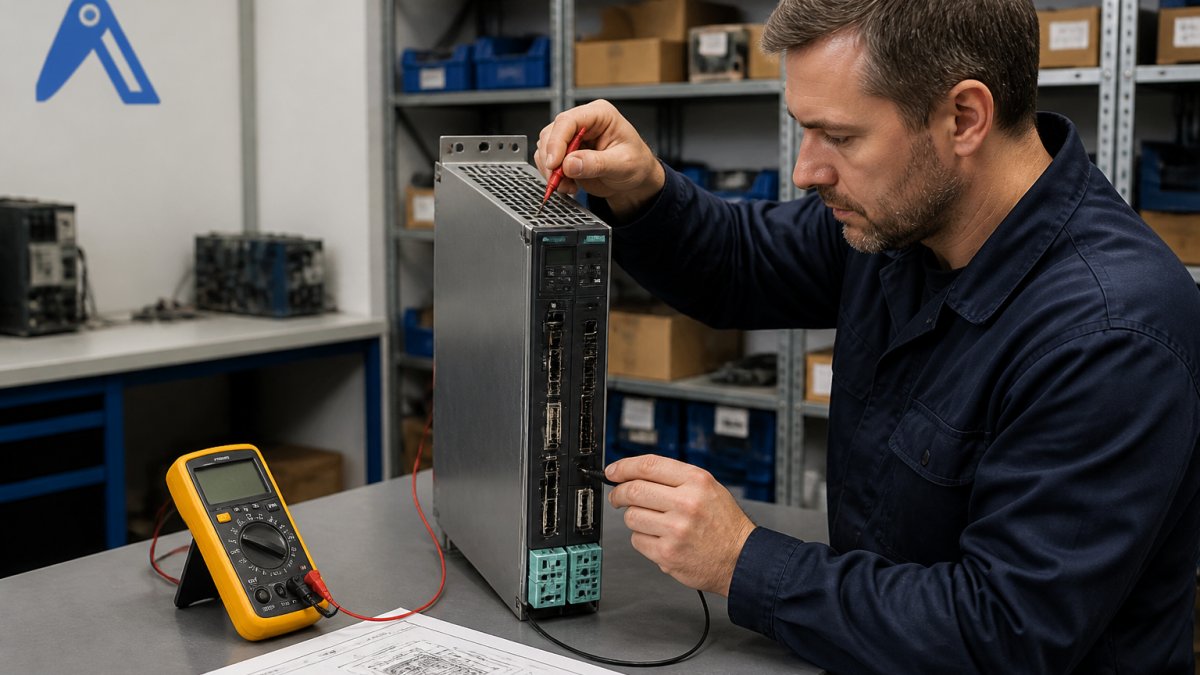
Condition is the variable that separates a good buy from an expensive lesson, and on a discontinued module it is the variable you can least afford to take on trust. A new unit is factory-sealed and carries the OEM baseline. If you are weighing whether a refurbished drive is a sound choice for your application, our guide to buying refurbished industrial electronics sets out the checks that matter.
| Condition | What you get | Best for | Watch out for |
| New | Factory-sealed, OEM baseline | Critical axes, warranty-sensitive lines | Highest cost, longest lead time |
| Refurbished | Repaired and tested, seller warranty | Budget-constrained replacements | Warranty terms vary by seller |
| Surplus | Unused or lightly used cleared stock | Fast swaps, spares stock | Cosmetic wear, unclear history |
Inspection checklist for a used or refurbished unit
A condition grade on a listing is a claim, not a test result. Ask for evidence against these points before you accept a refurbished or surplus module:
- Nameplate and suffix match. The full 6SL3120-1TE23-0AD0 string, including the 0AD0 suffix, must match the unit in the photos. A mismatched suffix is a different configuration.
- Repair history. Ask what was replaced. Capacitors, fans and power semiconductors are the common wear items on a booksize module; a repair that replaced only a fan is a different proposition from one that replaced the power stage.
- Test record. A refurbisher should be able to state that the unit was powered, parameterized and run under load, not merely powered up. Ask for the test conditions.
- Cooling path. Internal air cooling means the fan and heatsink fins must be clean and the fan must spin freely. Dust-packed fins on a surplus unit point to a hard life in a crowded cabinet.
- Connectors and DRIVE-CLiQ ports. Inspect for bent pins, cracked housings and missing terminators. These are cheap to replace but easy to miss until commissioning.
Matching condition to the application
Condition should follow criticality, not budget alone. On a critical axis with no spare, a new or fully tested refurbished unit with a clear warranty is usually the cheaper decision once downtime is counted.
Watch out: a surplus unit described as unused can still have sat in an uncontrolled store for years, so ask for the storage conditions and inspect the capacitors and fan before you trust the grade.
Siemens Drive Repair vs Replacement: Which Route Fits
Repair wins when the fault is isolated and the module is otherwise sound. Replacement wins when the unit is physically damaged, when repair turnaround exceeds your downtime tolerance, or when the same module has already failed twice. The decision is really a downtime calculation: how long can the axis stay down, and what does a repair quote cost against a verified replacement unit?
BOM List Optimization for Legacy Machines
Legacy BOMs decay. Part numbers get superseded, descriptions drift, and duplicate line items creep in until nobody trusts the list. Before you source another 6SL3120-1TE23-0AD0, clean the BOM so the part number on the list matches the nameplate on the machine. Our BOM List Cleaner handles that normalization so a sourcing run starts from accurate data rather than a guess.
Sourcing the 6SL3120-1TE23-0AD0 Through Automa.Net
Sourcing a discontinued module is a search problem, and the answer depends on what is actually in stock across verified suppliers. Start with AutomaSEARCH to look up the exact part number across the network and check what is listed today. If nothing suitable appears, post the requirement to the Request Board and let verified suppliers respond with stock and condition.
Frequently Asked Questions
What are the common failure modes for the 6SL3120-1TE23-0AD0?
The 6SL3120-1TE23-0AD0 is a single motor module rated at 30 A with internal air cooling. Common wear points on drive modules of this type include the cooling fan and the power section, so inspect both before accepting a unit. Always verify the exact revision and check the data sheet before ordering a replacement.
How do I verify the condition of surplus SINAMICS drive modules?
Ask for the original Siemens data sheet, a photo of the nameplate, and any test report showing the DC link voltage and output current were checked. Surplus units may show cosmetic wear, which does not always affect operation, but you should confirm the internal air cooling path is clear and the fan runs. For refurbished units, request the repair scope and warranty terms. Cross-check the part number 6SL3120-1TE23-0AD0 against the Siemens Industry Online Support portal before purchase.
What is the typical lead time for discontinued Siemens drive components?
Lead times for discontinued Siemens drive components vary by condition and source. Lead times depend on condition and source, so confirm stock availability and estimated lead time directly with the supplier before committing. We recommend confirming stock availability and estimated lead time directly with the supplier before committing, and keeping a verified alternative in your BOM for critical machines.
How can I cross-reference legacy part numbers for industrial automation?
Start with the Siemens Industry Online Support portal to confirm the exact 6SL3120-1TE23-0AD0 specification and any revision notes. Compare the rated output current, DC link voltage range, and frame size against the module you are replacing. For BOM list optimization, use a tool that cleans and reprices legacy part numbers so you can spot duplicates and discontinued items. AutomaSnap can also identify a part from a photo of its nameplate if the label is worn.
What documentation is required when purchasing refurbished drive modules?
For a refurbished 6SL3120-1TE23-0AD0, request the repair report, test results for output current and DC link voltage, and the warranty terms in writing. Confirm the unit matches the Siemens data sheet for the 30 A single motor module. If the module is part of a larger SINAMICS S120 drive system, ask for compatibility confirmation with your existing control unit and firmware. Keep the documentation with your maintenance records for audit purposes.
The next time a SINAMICS S120 axis drops out, the difference between a two-day fix and a two-month wait is whether you can find a verified module fast. Automa.Net connects you to real in-stock inventory across a verified supplier network, with part search that matches on the full part number and an RFQ route when stock is thin. Get started with Automa.Net and turn a discontinued part number into a sourced replacement.
Find it on Automa.Net →
Other Posts

How to Benefit from Legacy Schneider Electric Sensors
Legacy Schneider sensors can cut costs and avoid downtime. Learn how to validate compatibility and source discontinued parts with confidence.
Read More →
HMI Touch Screen Not Working? Common Operator Panel Faults and Repair
Why HMI touch screens and operator panels fail, what to check first, which faults are repairable, and when replacing the panel makes more sense.
Read More →
Sourcing Hard-to-Find Allen-Bradley Drives: 7 Best Practices
Sourcing Allen-Bradley drives gets harder once a model is discontinued. Learn seven practices that shorten the path to a verified replacement.
Read More →